
 Documentation
 Join our Discord
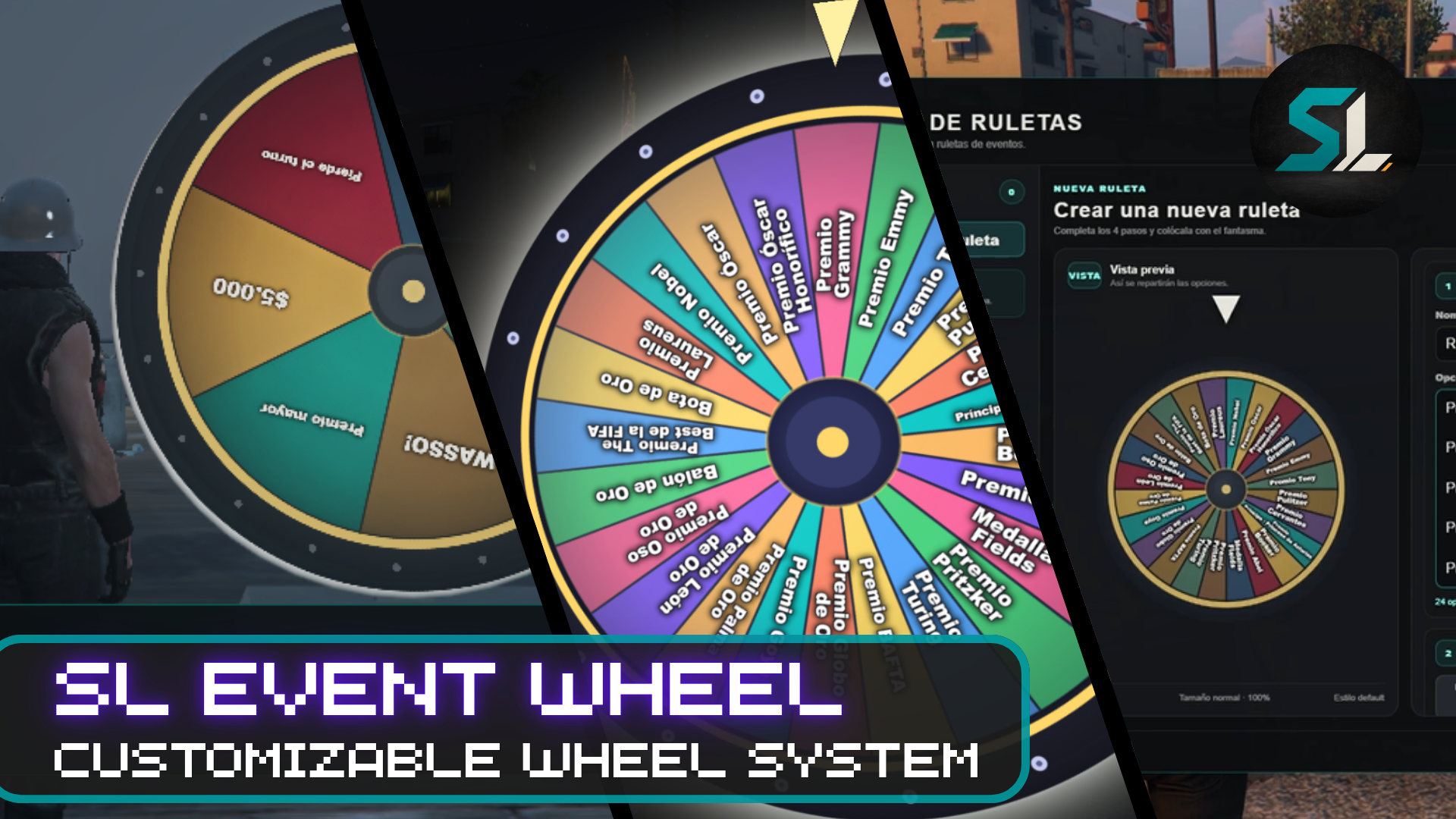
Configurable 3D event wheel for FiveM with synchronized spinning, visual themes, automatic rewards, custom audio and optimized runtime rendering.
SL Event Wheel is designed for server events, raffles, social activities, giveaways, casino-style interactions and custom roleplay scenarios.
Admins can create and configure physical wheels directly in-game, choose the rewards for every segment, place the wheel visually with a ghost preview, and let players interact through ox_target or a nearby [E] fallback.
Features
- Fully configurable 3D event wheel
- Up to 24 options per wheel
- Multiple wheels can exist simultaneously
- Persistent wheel placement
- Ghost preview when creating or repositioning
- Five size presets:
- Small
- Normal
- Large
- Giant
- Extreme
- Built-in visual themes:
- Default
- Luxury
- Party
- Casual
- Loud
- Duo Color
- Radial readable segment labels
- Synchronized spinning and results
- Server-side winner validation
- Winner always matches the segment under the pointer
- Custom spinning audio
- Winner confirmation ding
-
ox_targetsupport -
[E]interaction fallback - Admin/owner management
- Spanish and English locales
- Optional ticket/item cost per spin
- Configurable integrations through
custom.lua
Reward System
Every segment can work independently as one of three reward types.
Text / Manual Reward
The wheel only announces the winner. Staff can handle the prize manually during roleplay.
Automatic Item Reward
Configure an item and quantity and the winner receives it automatically.
The item selector supports an automatically populated catalog where supported, while still allowing custom item names.
Automatic Money Reward
Segments can automatically reward money using configured accounts such as:
- Cash
- Bank
Reward selection and delivery are validated server-side.
Inventory & Framework Support
Automatic reward bridges include support for:
- ox_inventory
- QBCore
- qb-inventory
- Qbox
- ESX
- Custom integrations through
custom.lua
The script can also be used only with text/manual prizes, without requiring automatic economy rewards.
Optional Spin Cost
A wheel can optionally require an item before the player is allowed to spin.
Example:
1x event_ticket
An example event_ticket installation is included for:
- ox_inventory
- QBCore
- ESX
The ticket system is optional.
Easy In-Game Management
Authorized admins/owners use:
/slwheel
From the interface they can:
- Create a wheel
- Name the event
- Configure options
- Configure rewards
- Select a theme
- Select wheel size
- Place it using a live ghost preview
- Reposition existing wheels
- Edit existing wheels
- Delete wheels
Players do not need commands to use the wheel.
Performance
SL Event Wheel has gone through several dedicated runtime optimization passes.
Measured during real FiveM QA:
Typical active use:        ~0.10 ms
Creating / repositioning:  ~0.17–0.20 ms
4 wheels in the same area: ~0.20 ms
Outside runtime range:     ~0.00 ms
These results were recorded during development testing and may vary depending on hardware, server configuration, player count and other resources.
The runtime includes:
- distance-based face lifecycle
- screen culling
- off-screen render sleeping
- optimized DUI rendering
- cached render candidate scans
- throttled placement transforms
- reduced ground probing
- automatic cleanup for distant runtime faces
Performance optimization is an ongoing part of SL Scripts maintenance.
Security
Important actions are validated server-side, including:
- spin distance
- reward selection
- item amount
- money amount
- item consumption
- duplicate reward protection
- admin actions
- cooldowns
- request payload limits
The client does not decide the final reward.
Audio
Includes dedicated audio feedback for the complete wheel experience:
- custom wheel spin sound
- synchronized spin duration
- native finish feedback
- custom winner ding when the final prize is displayed
Audio is distance-limited so it is only heard by nearby players.
Requirements
Required:
- FiveM server
Optional depending on configuration:
-
ox_target -
ox_inventory - QBCore
- Qbox
- ESX
If ox_target is unavailable, the resource includes an [E] interaction fallback.
Installation
- Place
sl_event_wheelinside your server resources. - Add:
ensure sl_event_wheel
- Ensure optional framework/inventory/target resources start before SL Event Wheel.
- Configure
config.luaandcustom.luaif needed. - Restart the server or resource.
Owners and admins are automatically recognized through common server/framework permissions. A dedicated ACE can also be used:
add_ace group.admin sl_event_wheel.admin allow
Editable Files
The package includes editable configuration for:
- general behavior
- permissions
- themes
- performance settings
- audio
- integrations
- rewards
- locales
- persistent wheel data
Commands
/slwheel
Create and manage event wheels.
/slwheel_info
Display resource and version information.
Current Version
v0.1.18.4.2
Support
Discord:
https://discord.gg/jCncSfFJHX
Documentation:
https://sl-scritps.gitbook.io/sl-scripts-documentation/
SL Scripts
Structured tools for serious roleplay servers.